Know which nights need a hand, see what booked and decide where to put your marketing money. Your numbers, with a useful next step.
01 / See how you’re doing
See how your holiday park is really doing.
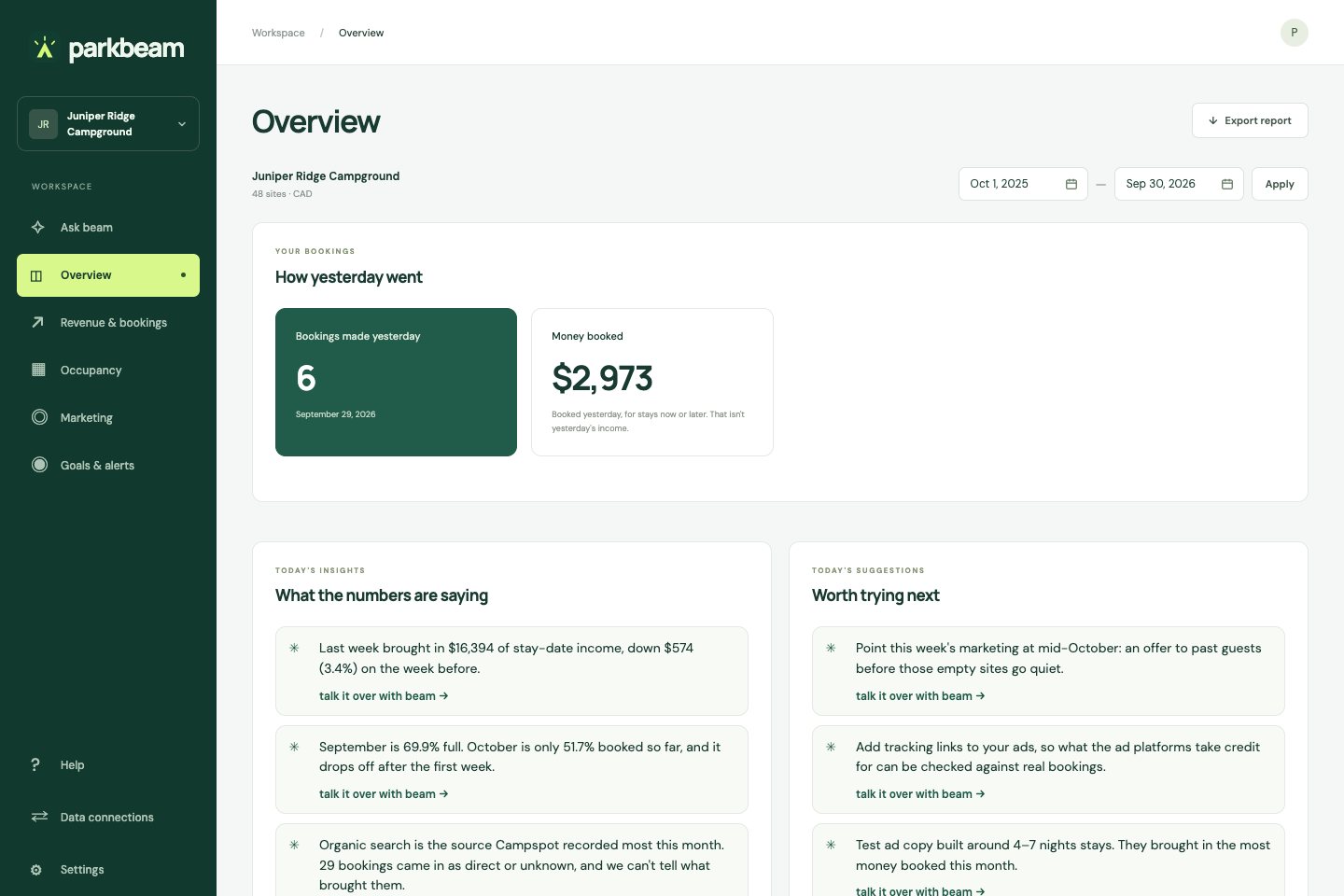
Your bookings, income, website, Google search, social media and ads, all on one screen. No more stitching five reports together on a Monday morning.
The long weekend’s over. You want to know how it went.
“How did we do this week, and what changed?”
Product screenshot
Bookings, income, occupancy and marketing on one screen. Open the image for a closer look.
Your next step: Look at what changed in bookings and income, then dig into the dates or the ads behind it. Every report shows its dates and where the numbers came from.
02 / Spot what needs attention
Spot what needs your attention.
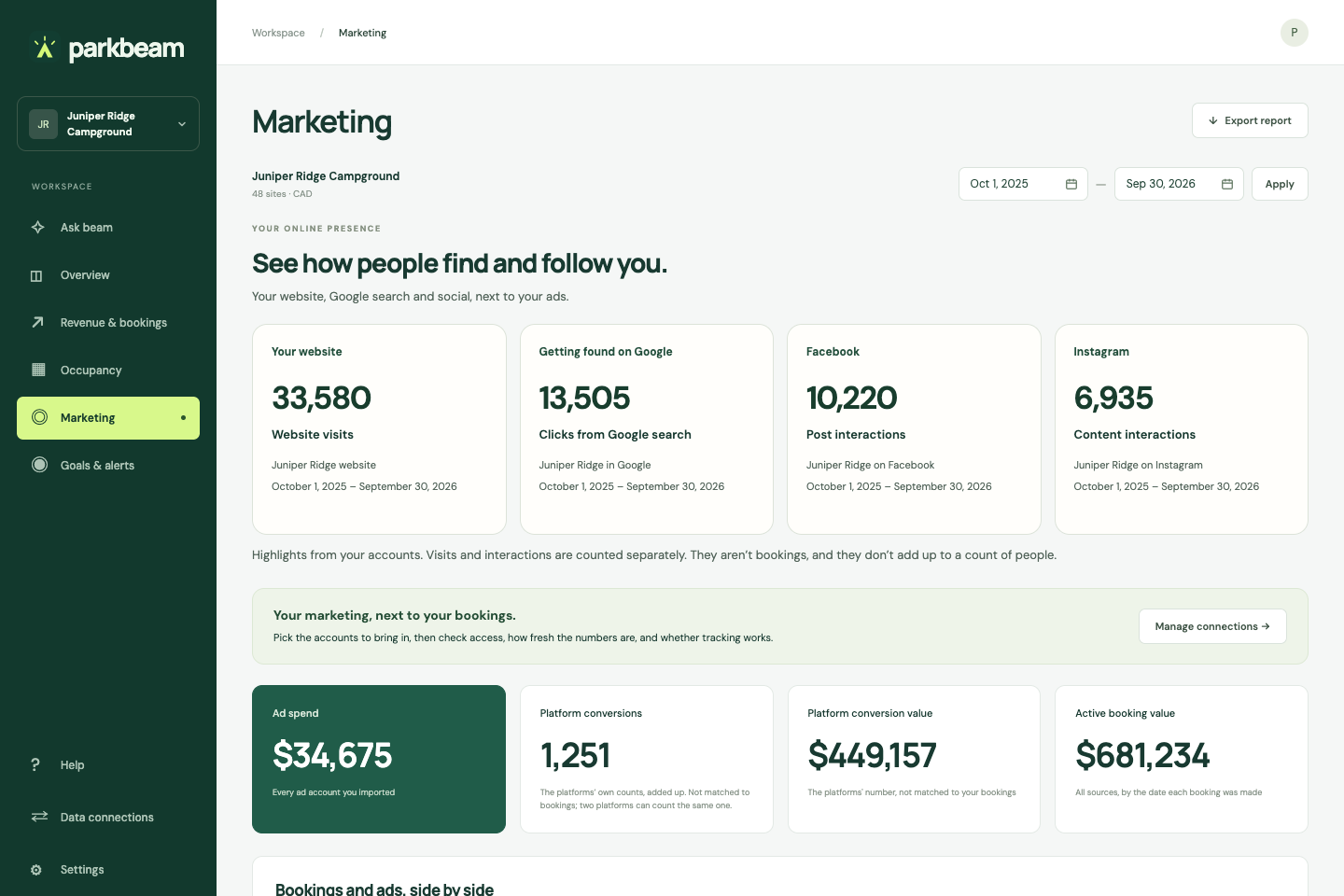
The AI reads your numbers and tells you what changed, what looks off, and where your time is best spent.
More people are finding your website. You want to know if that’s turning into bookings.
“What should I be looking at, and why?”
Product screenshot
Where people find you, and how many make it to your booking page. Open the image for a closer look.
Your next step: Ask in your own words. The answer comes with the numbers behind it, one click away. Visits, social activity and confirmed bookings stay separate, because a click isn’t a booking.
03 / Get help bringing people in
Get ideas for bringing more people in.
Get help picking what to try next: showing up better on Google, fixing what your website says, planning a social post, or thinking through your next ad.
You want more bookings. Start with one good idea and a next step.
“What can I do to improve my Google Search ads?”
✳
Ask beam
Source-backed example · Lookout, a paid plan
parkbeamAsk beamDashboardSearch chatsChatsJuniper RidgeWhich dates need help?Are we on pace for next month?What are guests saying in reviews?
☰Juniper RidgeFilesKnowledgeConnectorsWorkspace+
Example question
What can I do to improve my Google Search ads?
A computed example from the Lookout demo, not a live chat.
Your answer
What the reports show
Three search themes (“campground jobs”, “free camping” and “long-term RV living”) spent $286 on 164 clicks, and not one of those clicks reached the booking page. Meanwhile, Abbotsford, Chilliwack and Bellingham brought in 73 availability-page visits and 11 booking starts on just 6% of your search-ad impressions.
See the numbers behind it
Search terms: 164 clicks and $286 across the three themes. No booking-page visits.
Locations: 73 availability-page visits, 11 booking starts and 6% of search-ad impressions across the three cities.
What to try or check
Add those three themes to your negative-keyword review. Then run a separate 30-day location test for Abbotsford, Chilliwack and Bellingham with “weekend RV camping near you” ads. Compare booking starts and confirmed bookings against your current locations before you move more budget.
Ask beamDictate↑
AI can make mistakes. Verify important information.
Read the full example
What can I do to improve my Google Search ads?
Your answer
What the reports show
Three search themes (“campground jobs”, “free camping” and “long-term RV living”) spent $286 on 164 clicks, and not one of those clicks reached the booking page. Meanwhile, Abbotsford, Chilliwack and Bellingham brought in 73 availability-page visits and 11 booking starts on just 6% of your search-ad impressions.
See the numbers behind it
Search terms: 164 clicks and $286 across the three themes. No booking-page visits.
Locations: 73 availability-page visits, 11 booking starts and 6% of search-ad impressions across the three cities.
What to try or check
Add those three themes to your negative-keyword review. Then run a separate 30-day location test for Abbotsford, Chilliwack and Bellingham with “weekend RV camping near you” ads. Compare booking starts and confirmed bookings against your current locations before you move more budget.
Example conversation complete.
Your next step: Work out who to reach, what to say and what to watch. Try the idea in your own tools, then come back and see what changed. The AI doesn’t publish or send anything. That’s your call.
WHAT YOU CAN CONNECT
Connect your booking system and marketing.
parkbeam is built to connect your booking system with all your marketing: your ads on search and social, your website traffic, how people find you in search and on maps, your social pages, and your email campaigns. See the numbers available for your park on one screen, with the dates showing, so beam can show you what your marketing cost and which bookings it gets credit for.
Built for the tools you already use.
Google Ads
Google Analytics
Search Console
Google Business Profile
Facebook
Instagram
Microsoft Ads
Mailchimp
Google Ads
Google Analytics
Search Console
Google Business Profile
Facebook
Instagram
Microsoft Ads
Mailchimp
We’ll confirm the supported connectors and setup steps for your park.
Connectors only read your numbers, with your permission. Nothing changes in your booking system or your ads.
A GOOD PLACE TO START
A better view of the park you run.
Bring your holiday park numbers together and see what needs attention. Get early access for your park.
Looking for Ask beam and your marketing numbers? Request Lookout.